

Spondise Listings Explained
5 minutes and 40 sec
Share this article

Stefan S.
How to Read and Navigate Spondise Listings as a Creator
Understanding how to read a Spondise listing properly can save time, improve your decision making, and help you focus on sponsorship opportunities that actually fit your platform, audience, and content style.
Most of the important information is already visible before you even open a listing in full. That means you can often tell at a glance whether a sponsorship is relevant, what type of content is expected, which platform is required, and what kind of reward structure is being offered.
This guide explains how to read the listing card, what the key sections on a listing page mean, and what details you should pay attention to before sending an inquiry.
The Sponsorship Listing Card
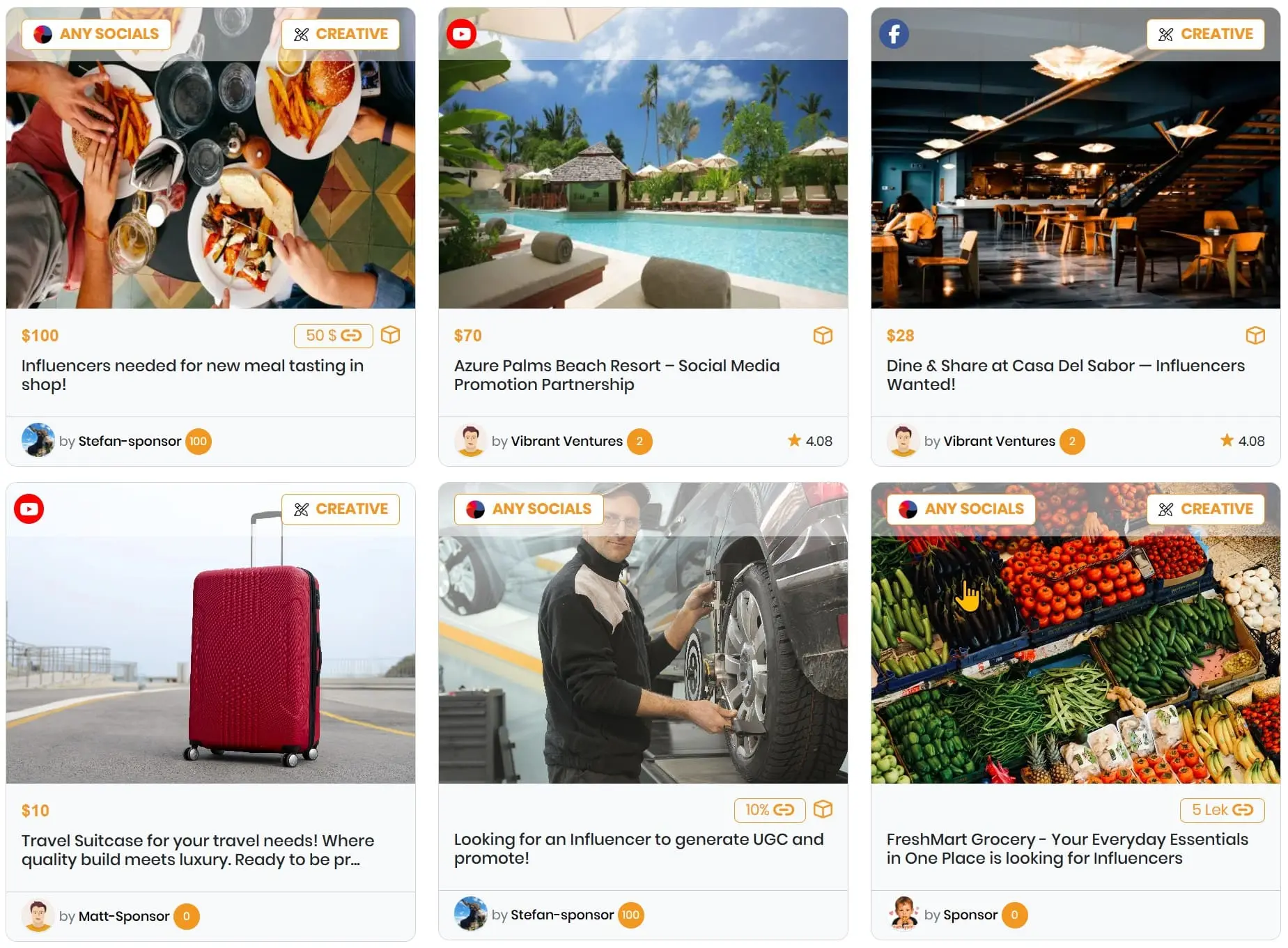
As a Creator browsing Spondise, it is important to understand the listing cards, symbols, and key labels shown in the overview. These are designed to help you evaluate opportunities quickly without needing to open every listing one by one.
Depending on the listing, the overview card may already show:
- the required social media platform,
- the content mode,
- the available reward or commission types,
- and basic Sponsor information.
Used correctly, this helps you filter out poor fits early and focus on listings that match your strengths and monetization goals.
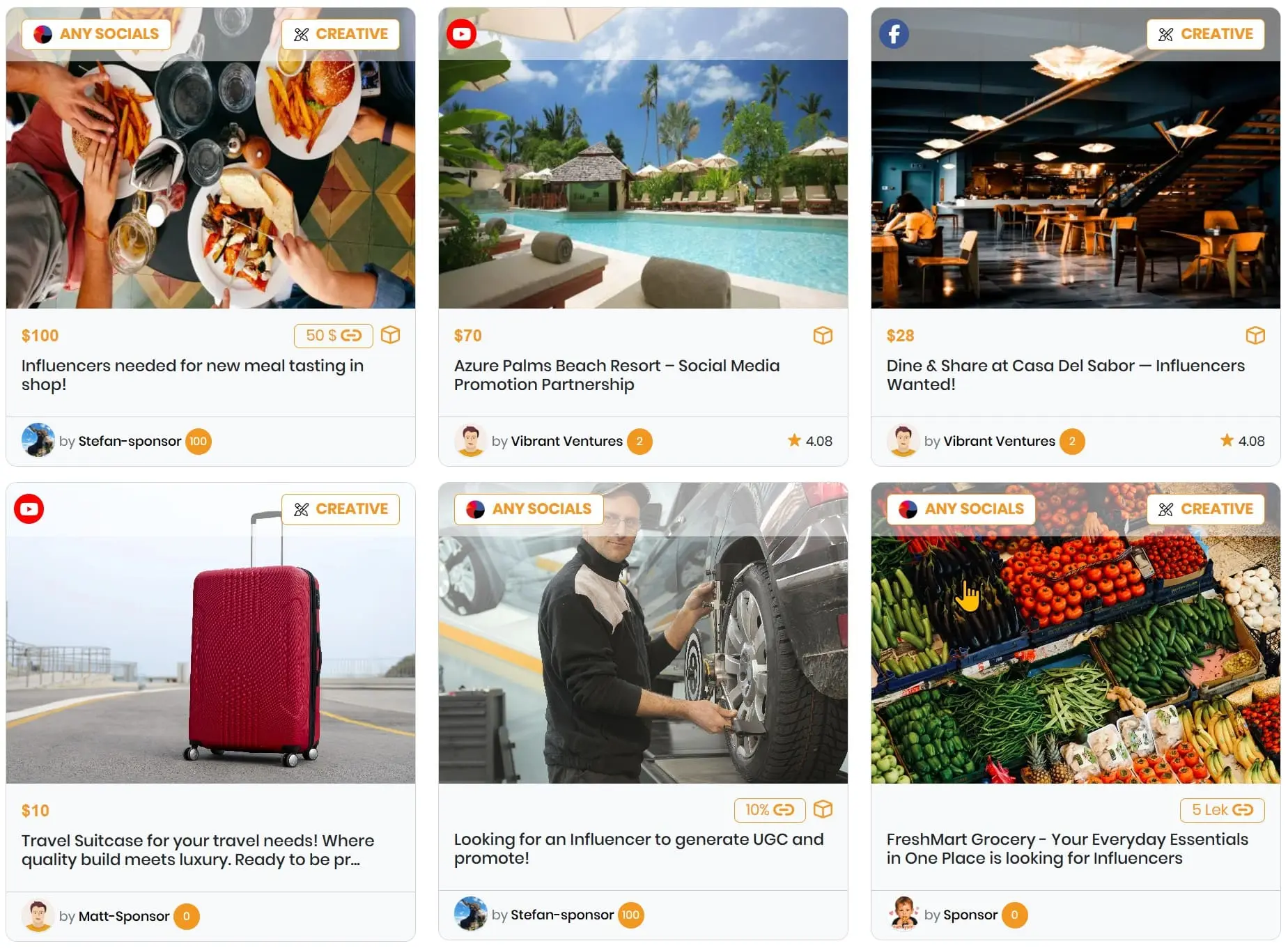
What the Listing Card Tells You at a Glance
Before opening the full listing, the overview card already gives you a practical first filter. It helps you answer the most important early question:
Is this listing worth opening in detail?
A good creator should learn to scan these cards quickly. In most cases, you should first check the required platform, then the content mode, then the reward structure. If those three already do not fit, there is often no reason to continue.
Example Breakdown of a Listing Card
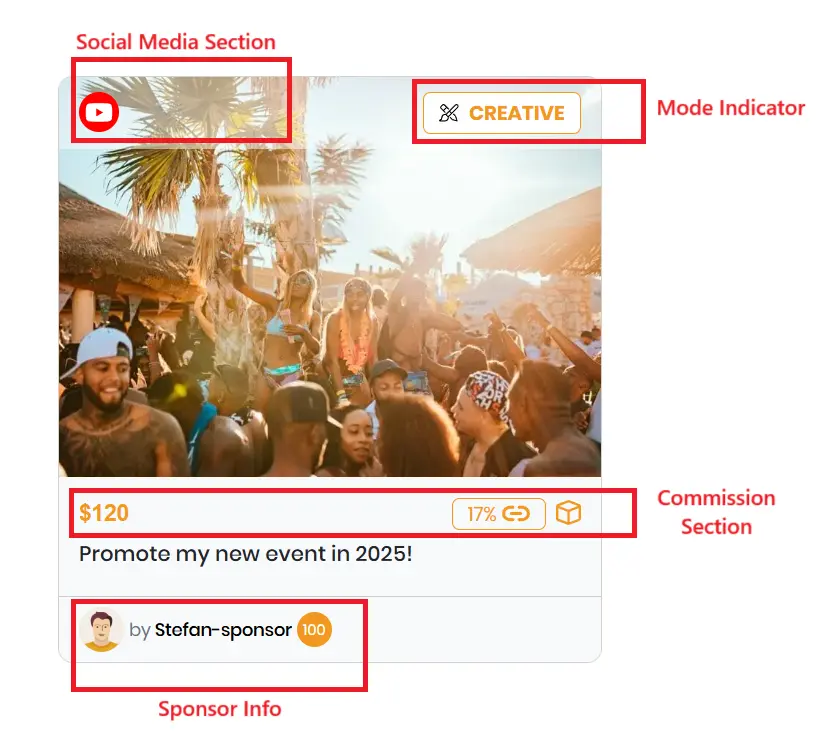
In the sample shown above, the listing includes the following information:
1. Social Media Section
- This shows the platform or platforms where the content is expected to be published.
- It also gives context for where platform related eligibility will be assessed.
- In this example, the required platform is YouTube.
2. Mode Indicator
- This helps clarify whether the sponsor expects creator made content or whether promotional assets may be provided.
- If the creator is expected to produce, record, edit, or structure the content independently, the listing may indicate Creative Mode.
- In this sample, the listing shows Creative, meaning the creator is expected to take the lead on content production.
- The exact scope should still be verified inside the full listing details.
3. Commission and Reward Section
- This section shows what the sponsor is offering in return for a successful collaboration.
- A listing can include one or multiple reward types.
- Common examples include cash commission, affiliate commission, product samples, or experiences.
- In this example, the listing offers:
- $120 Cash Commission
- 17% Affiliate Commission
- a product sample, experience, or another non cash reward
4. Sponsor Information
- This area usually shows the sponsor profile image, nickname, and profile related platform indicators where applicable.
- It helps you identify who published the listing and gives a quick sense of the account behind the opportunity.
- In this example, the displayed sponsor name is Stefan-sponsor.
The listing card is your first screening tool. It is not the full contract, but it is often enough to decide whether opening the listing is worth your time.
Exploring the Full Listing Page
Once a listing passes your first glance check, the next step is to open it and review the detailed requirements properly.
Many fields on the full listing page are self explanatory, but some sections deserve closer attention because they directly affect workload, deliverables, brand fit, usage rights, and your risk as a creator.
The most important categories usually include:
- Content Requirements
- Specific Requirements
- Legal Requirements
Content Requirements
The Content Requirements section defines the core structure of the deliverable itself. This is where you check what the sponsor actually wants you to produce and where that content is meant to appear.



This section can help answer questions such as:
- On which platform must the content be published?
- Is the expected format a reel, short, story, post, video integration, mention, or something else?
- Is the sponsor looking for a specific media style or deliverable format?
- Does the content need to be creator made, sponsor supplied, or a combination of both?
This is the section that tells you whether the campaign actually fits your content workflow. A listing may pay well, but if the required format does not match your platform style or production capacity, it may still be a bad fit.
Specific Requirements
The Specific Requirements section adds campaign rules beyond the core content format. This is often where a listing becomes either attractive or problematic.



These details usually define:
- how the sponsor wants the promotion presented,
- whether certain talking points, links, voiceovers, captions, tags, or mentions are required,
- whether exclusivity or brand separation expectations exist,
- and whether there are specific campaign conditions you must follow.
As a creator, this section matters because it affects both effort and creative freedom. A listing that looks simple on the surface can become much more restrictive once you review the specific requirements in detail.
Before inquiring, check whether the sponsor's conditions still leave enough room for your natural style, audience trust, and production process.
Legal Requirements
The Legal Requirements section is one of the most important parts of any Spondise listing. Many creators focus first on payout and deliverables, but legal terms often have the biggest long term impact.




This section may define areas such as:
- usage rights,
- ownership and permission scope,
- advertising limitations,
- sponsor protections,
- liability or compliance related conditions,
- and any terms that affect how your content may be used after delivery.
This is where you should slow down and read carefully.
A creator should understand not only what they are posting, but also how far the sponsor's rights go once the content has been delivered and approved.
If a listing includes permissions or restrictions that do not fit your standards, brand image, or business model, it is better to identify that early rather than after entering the workflow.
How to Evaluate a Listing Before You Inquire
Before sending an inquiry, it is worth doing a quick internal check. Ask yourself:
- Does this fit my actual platform and audience?
- Can I deliver the required format at a quality level I am comfortable with?
- Is the reward structure worth the time, production effort, and any legal limitations?
- Do the sponsor requirements still allow me to stay authentic?
- Am I comfortable with the legal and usage terms?
If the answer to several of those is unclear, open the listing again and review it more carefully before proceeding.
Good creators do not apply to everything. They apply selectively to opportunities they can deliver well and profit from properly.
Final Tip for Creators
The best way to use Spondise is not to treat listings as random offers. Treat them as structured opportunities that need to be evaluated from three angles:
- content fit,
- business value,
- and legal clarity.
If a listing looks strong in all three areas, it is usually worth your attention.
If one of those areas looks weak, especially the legal or workload side, you should think twice before inquiring.
Ready to Explore Spondise Listings?
Browse sponsorship opportunities on Spondise, review listing details carefully, and focus on campaigns that truly match your content style, audience, and commercial goals.
The more precisely you evaluate listings, the better your results on the marketplace will usually be.
Share this article
Subscribe for the latest methods to improve revenue!
I am a