

How to Review and Approve Creator Deliverables on Spondise
1 minute and 28 sec
Share this article

Spondise Team
How to Review and Approve Creator Deliverables on Spondise
A Practical Guide for Sponsors
Reviewing creator deliverables on Spondise follows a clear, step-by-step workflow designed to prevent misunderstandings and ensure both sides know exactly what happens next. This guide explains how draft reviews, final approvals, and timelines work in practice.
Where Deliverables Are Reviewed
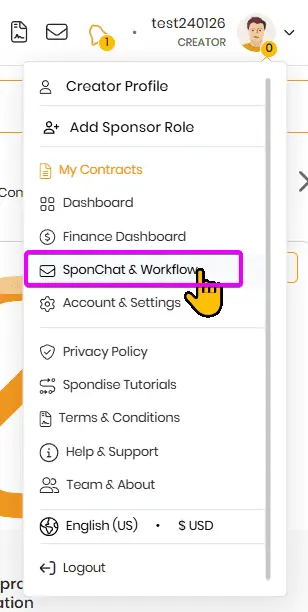
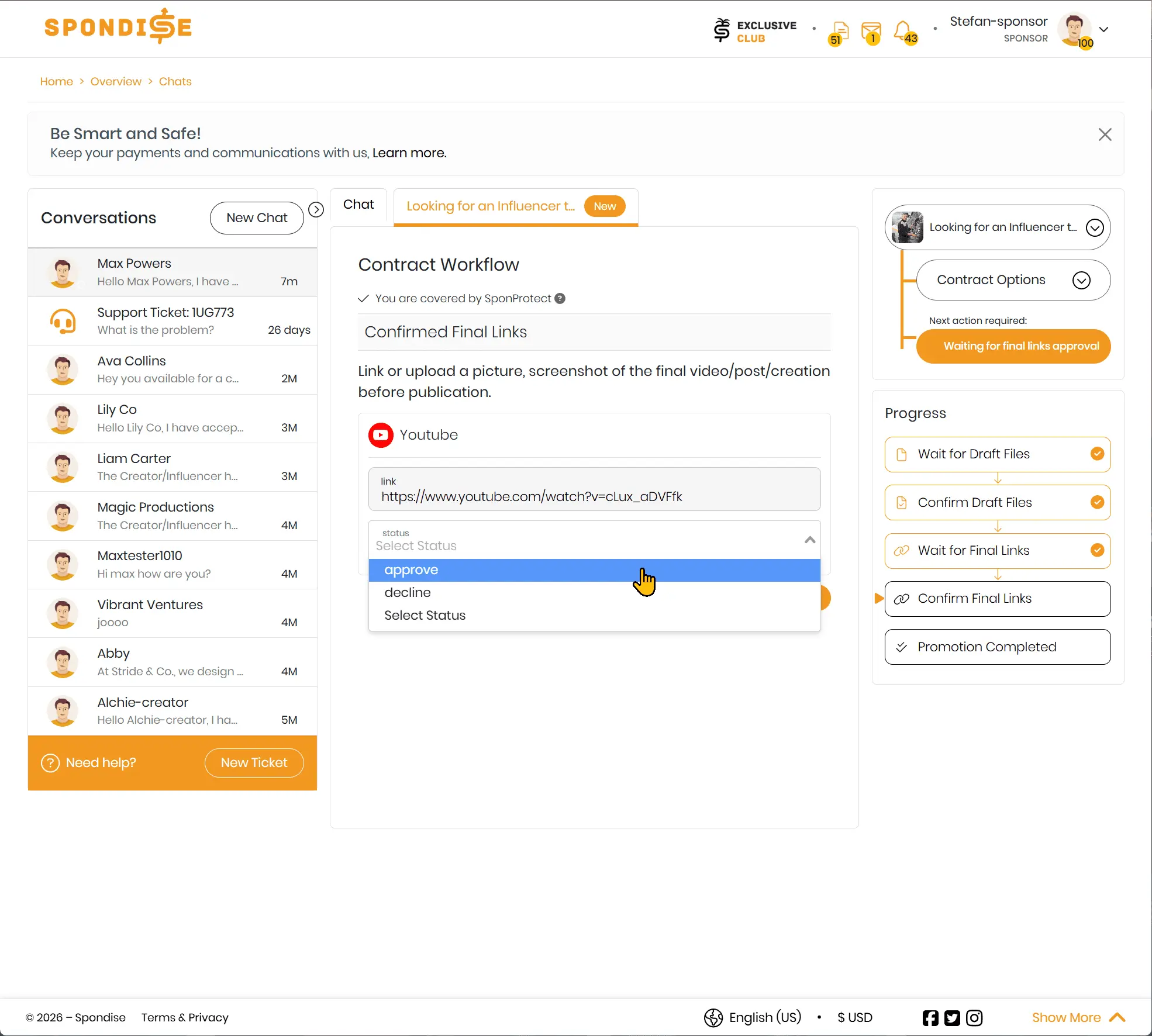
All reviews take place inside the contract workflow within your chat with the creator. Each step is clearly labeled, and only the relevant action is available at any given time. Look out for the contract tab within the SponChat page.
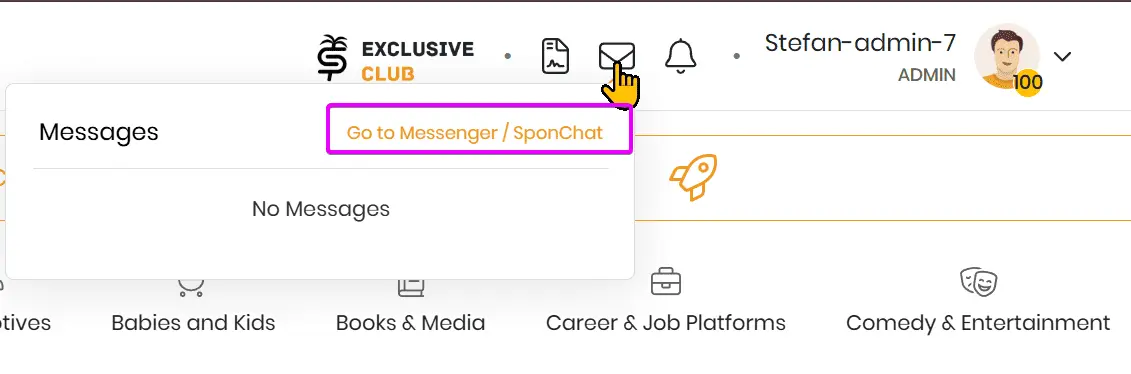
or
Draft Review Stage
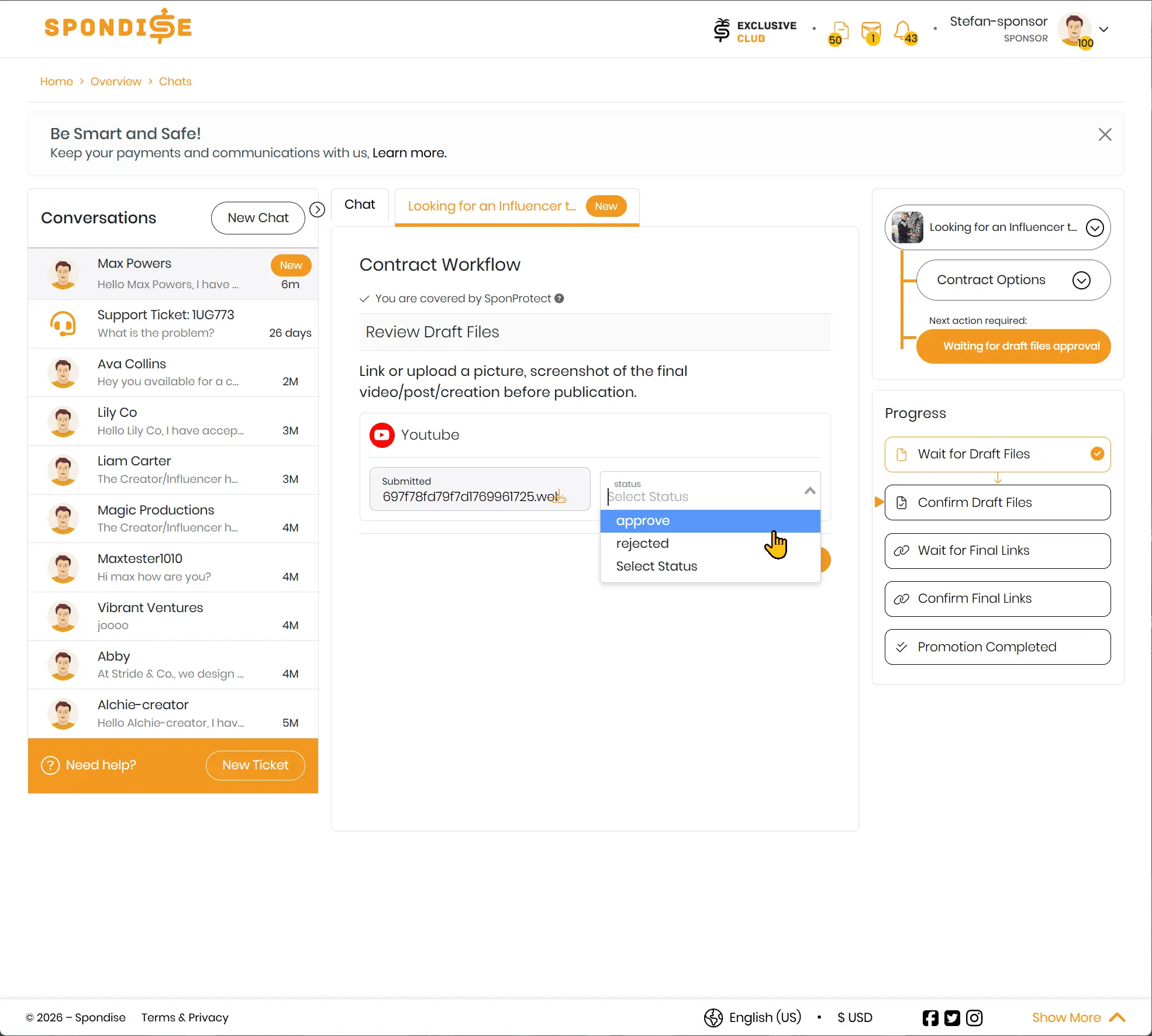
If manual draft review is enabled, the creator must submit draft files or previews before publishing. This can be a link or an uploaded file, depending on the content type.
- You can approve the draft if it meets expectations.
- You can request changes by rejecting the draft.
- There is no system-imposed limit on revision rounds.
Approval or rejection must be completed within 24 hours. If no action is taken, the system automatically approves the draft and moves the workflow forward.
Final Link Submission
After the draft is approved and content is published, the creator submits the final live links. This step confirms that the agreed content is publicly available.
If manual link review is enabled, you must approve or decline these links. If disabled, links are automatically approved.
What Happens If You Miss the Approval Window
If you do not take action within the 24-hour review window, the system auto-approves the submission. Once approved, actions cannot be reversed.
Completing the Review Process
After final links are approved, the contract moves to completion. This triggers payout review and allows both parties to leave reviews.
Share this article
Subscribe for the latest methods to improve revenue!
I am a